SoHO Learning Zone Quick Guide
Before getting started, please familiarize yourself with the following terms.
- ILT (Instructor-Led Training): ILT is any learning led by an instructor or presenter, either in- classroom or online. To attend these courses you should register in advance by clicking Register Now.
- Online: This is self-paced learning available online, whether a full course, a document, or a link to outside content. To launch an online course click Start Course. Registration is not required for online courses.
Navigating the SoHO Learning Zone Homepage
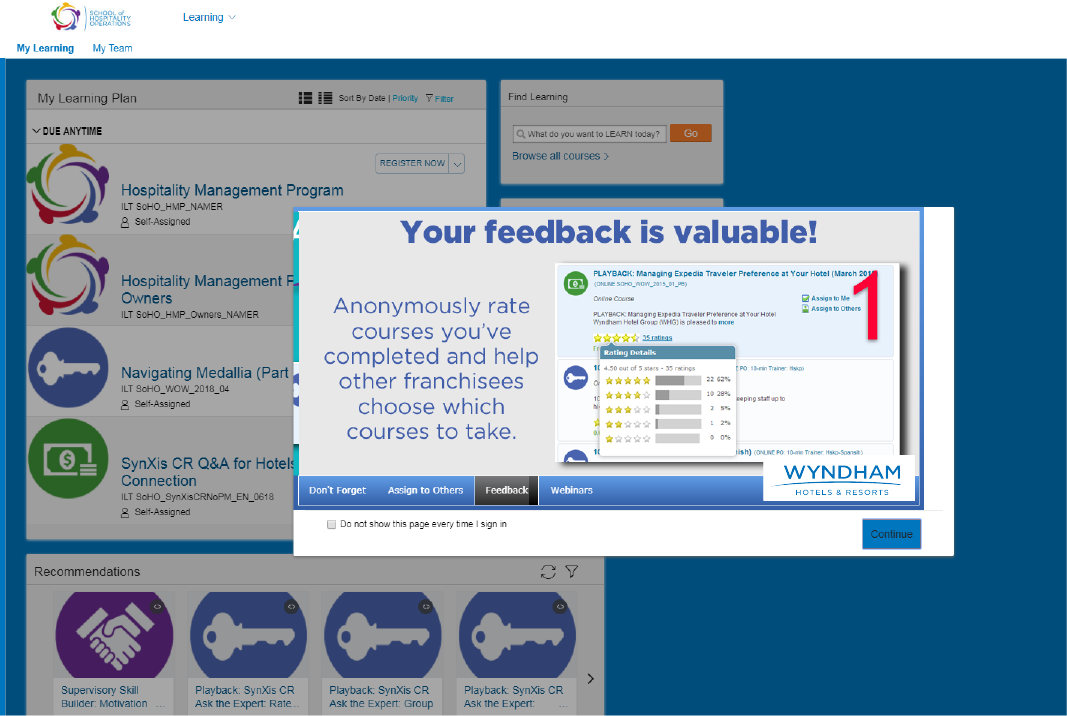
- News: Displays important information and latest news about upcoming
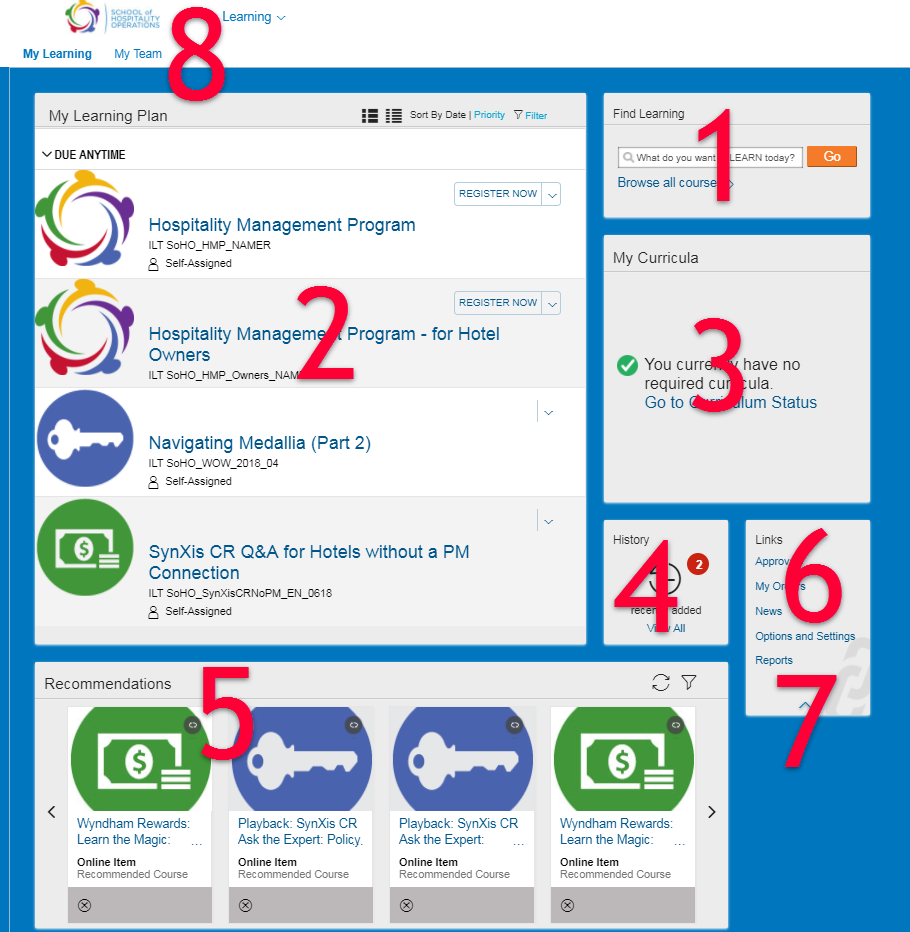
- Find Learning: Type a keyword into the search to find training, or click on Browse all courses to look through a catalog of all training available to you.
- My Learning Plan: Displays your learning items and requirements, whether assigned by Wyndham Hotel Group, assigned by your manager, or self-assigned. Ordered by due date, showing overdue first, then due soon, due later, and no due date
- My Curricula: Shows quick information about your status in any assigned Curricula. Click the circle to go to the Curriculum Status screen for more detailed information.
- History: Shows a number for training completed in the last 30 days. Click View all to see your complete Training History. You can also print Certificates of Completion for training you’ve completed.
- Recommendations: Select Upcoming and Playback courses that are recommended for your brand and hotel.
- News: Click here to bring back the News window if you have clicked the checkbox that hides it
- Options and Settings: Click here to adjust your user preferences like language, time zone and date format.
- My Team: Hotel owners and general managers will have this My Team link (as well as a My Team pane, not shown), for viewing, managing, and reporting on their hotel staff’s training.
Searching and Registering for Courses
- Use Find Learning to find the course you want to register for. Type a keyword into the search (i.e. HMP or Webinars) and click Go > or click on Browse all courses > to look through a catalog of all training available to you.
- Once you find the course you want to register for click on Register Now > for ILT courses or Start Course > for Online courses.
- If you are registering for an ILT course, like HMP, you will be prompted to choose which date and location you want to register for. Once you select a date and location click Confirm. Your registration will appear in your Learning Plan and you will receive a registration confirmation email with details about your registration.
- If you are launching an online course, like a video or webinar playback, registration is not required, simply click Start Course >. If you launch the course but do not complete it in a single session, the next time you return to SoHO Learning Zone, the course will appear in your Learning Plan and you can launch it by clicking Continue Course >.
Printing a Certificate of Completion
- From the homepage, click View all under History (see #4 above).
- Once in the Completed Work page you will see a list of courses you’ve completed*. Click on the title of the course you want to print a certificate for.
- A pop-up will appear. Click on Print Certificate.
My team (Entity Principal (EPR), Site Principal (SPR) and General Manager roles in MyPortal only)
In the My Team page you will see learning activity for hotel staff you’ve given access to SoHO Learning Zone. If you would like additional members of your staff to have access to the new SoHO Learning Zone, you may grant them access via MyPortal.
- My Team: Once on the My Team page on the left side menu you will see a list of your staff members that have access to the SoHO Learning Zone. The central window will display the Learning Plan for that staff member selected on the left side menu, showing overdue and upcoming training.
- In addition, the selected staff member’s information will show in the Status on the lower right side, giving a quick view of their Curricula and their recently completed work.
- Supervisor Links: You can use the links in this section to manage your staff members’ learning activities.
- Assign or Remove Learning: You can assign Online courses to your hotel staff. The assigned training will appear in their Learning Plan.
- Register or Withdraw Employees: You can register hotel staff for ILT. The course will appear in their Learning Plan.
- Dashboard: View a listing of any overdue assignments for your team. You can also choose to include training due dates that are within 30 days or even 60 days.
- Reports: Choose from a variety of reports to generate information about yourself, your direct reports, or your entire team.